
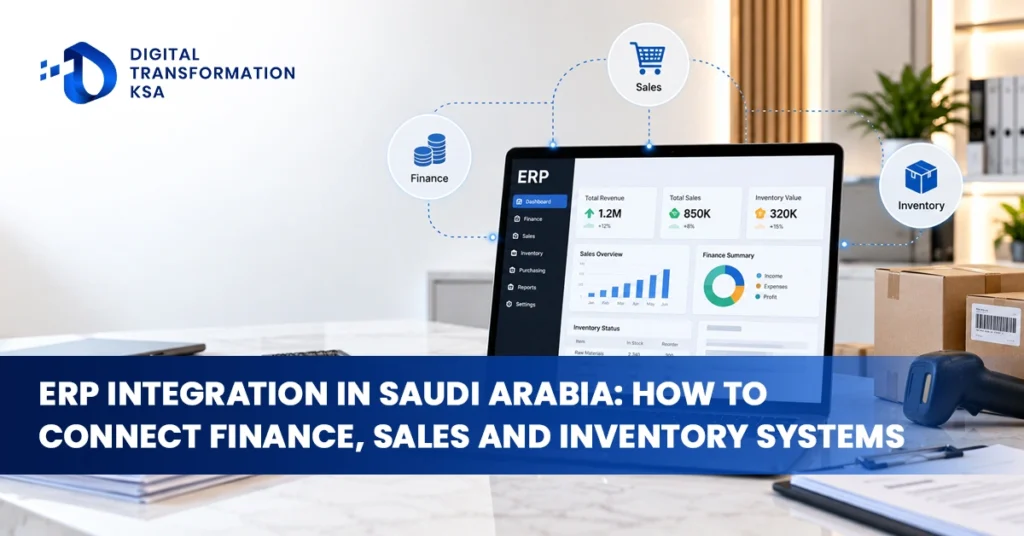
ERP Integration in Saudi Arabia is becoming increasingly important for businesses that operate finance, sales, inventory, procurement and customer-management systems separately.
When these systems do not communicate properly, employees become the connection between them by exporting spreadsheets, re-entering transactions, checking conflicting records and manually preparing reports for management. A well-designed ERP integration removes much of this duplication by allowing information to move between systems according to defined business rules.
For Saudi companies, the objective should not be to connect every application simply because integration is technically possible. The stronger approach is to identify where data originates, which system owns each record, when information needs to move and what should happen if an integration fails. This turns ERP system integration in KSA into an operating-model improvement rather than another IT project.
What Does ERP Integration Actually Mean?
ERP integration connects an enterprise resource planning platform with other business applications so information can move between them without unnecessary manual re-entry. These applications may include CRM, e-commerce, warehouse-management systems, procurement platforms, payroll software, banking applications, point-of-sale systems, business intelligence tools and electronic invoicing solutions.
The purpose is not necessarily to move every business function into one ERP. Many organisations benefit from keeping specialist applications while using the ERP as the financial or operational backbone. The integration layer determines whether these applications behave as a coordinated environment or remain separate data silos.
A connected architecture allows the business to enter information at the most appropriate point and then reuse that data across the wider process. A confirmed sales order can affect inventory, invoicing and receivables without employees rebuilding the same transaction in multiple systems.
Why Finance, Sales and Inventory Need to Be Connected
Finance, sales and inventory are managed by different teams, but their transactions are closely related. A sales order affects stock availability, fulfilment, invoicing, revenue and customer balances. If every department maintains its own version of the transaction, inconsistencies quickly appear.
Sales may show that an order has been confirmed while inventory has not yet reserved the product. Finance may create an invoice using information copied manually from the sales system. Management may then need several spreadsheets before it can understand the real revenue and stock position.
ERP integration reduces this disconnect by defining how one business event should update the systems that depend on it. The objective is not simply faster data transfer. It is creating one reliable transaction lifecycle across the organisation.
Start by Defining the System of Record
Before businesses connect applications, they need to decide which system owns each important type of information. This is one of the most important decisions in enterprise software integration because unclear ownership can create conflicts even when the technical integration is working perfectly.
Customer information may be created initially in the CRM, while validated financial customer records may ultimately be maintained in the ERP. Product and SKU information may originate in the ERP, while the e-commerce platform receives approved product data. Inventory quantities may be owned by the ERP or warehouse-management system depending on the operating model.
The exact answer differs by company. What matters is that ownership is documented. Two systems should not independently overwrite the same master data without clear governance.
Connect the Sales Process to the ERP at the Right Point
CRM systems are usually better suited to leads, opportunities, sales activity and customer relationships, while the ERP handles confirmed commercial transactions and financial processing. The integration needs a clear handoff between these stages.
A business may decide that prospects remain entirely in the CRM until an opportunity becomes an approved sale. At that point, validated customer and order information is transferred to the ERP. The ERP can then create the sales order, manage invoicing and provide relevant status information back to the CRM.
This prevents incomplete prospect information from unnecessarily entering the financial system while still allowing sales teams to see what happened after a deal was confirmed.
For e-commerce businesses, the workflow may be more automated. A confirmed online order can move directly into the ERP while stock availability, order status and fulfilment information flow back to the customer-facing platform.
Inventory Integration Needs Accurate Synchronisation
Inventory is particularly sensitive to integration delays. If an online store shows ten units available while the warehouse holds six and the ERP shows eight, the business can oversell products, delay orders and make poor purchasing decisions.
A connected inventory workflow may allow confirmed orders to reserve stock, warehouse dispatches to reduce available quantities, purchase receipts to increase inventory and returns to update stock automatically. Transfers between warehouses can also be reflected across the relevant systems.
The integration frequency should match the operational importance of the data. Customer-facing availability may require near-real-time updates, while a historical inventory report used once per week may not.
The goal is to keep operational systems sufficiently aligned that staff and customers are working from dependable stock information.
Real-Time Integration Is Not Always Necessary
One of the common mistakes in ERP integration projects is assuming every data flow needs to operate instantly. Real-time integration is valuable where delays create a meaningful operational problem, but it also adds technical complexity.
A sales order from an e-commerce platform may need to reach inventory and fulfilment quickly. A management dataset that is only reviewed each morning may work perfectly well with scheduled batch updates.
Businesses should classify integrations according to the consequence of delayed information. Critical transactional flows may require immediate synchronisation, while lower-priority data can be processed every hour, overnight or according to another defined schedule.
This approach keeps the architecture more manageable and prevents unnecessary infrastructure from being built around data that does not require real-time movement.
APIs Are Usually the Best Option for Modern Systems
When applications provide reliable and well-supported APIs, they are often the strongest method for connecting core business systems. APIs allow structured data to move between applications directly rather than depending on users or screen-based automation.
An API can create a customer, transfer an order, update inventory, retrieve an invoice or send another defined transaction according to the permissions and functionality exposed by the application.
For high-volume integrations, APIs generally provide better scalability and maintainability than manual processes or bots that imitate user actions.
Businesses should still review API limits, authentication methods, available fields, vendor support and version-management requirements before relying on an interface for a critical process.
Middleware Can Simplify Complex Integration Environments
As the number of business applications increases, direct point-to-point connections can become difficult to manage. Middleware or an integration platform can sit between systems and coordinate how information moves.
The integration layer may transform data formats, validate information, route transactions, apply business rules and monitor errors before passing data to the next application.
This can be particularly useful when several systems need the same customer, product or transaction information. Instead of creating a separate custom connection between every pair of applications, the business can use a more structured integration architecture.
Middleware does introduce another platform that needs governance and support, so it should be used where the complexity justifies it rather than automatically added to every small environment.
RPA Can Bridge Legacy Systems
Some businesses still rely on legacy applications that do not provide modern APIs or practical integration options. In these cases, robotic process automation can bridge part of the gap.
An RPA bot may log into a legacy system, retrieve a report or enter information according to predefined rules. This can reduce repetitive manual work when a direct interface is not available.
RPA should not automatically replace a stable API or native integration. Screen-based automation can be more sensitive to interface changes and may require additional maintenance.
The strongest architecture may combine direct APIs for modern applications with RPA only where legacy systems genuinely require it.
Avoid Integration Spaghetti
Integration problems often begin gradually. The CRM is connected directly to the ERP, the ERP is connected to the warehouse platform, the warehouse system is connected separately to e-commerce and several reporting tools pull information independently from all three.
As new applications are added, nobody has a complete view of how data moves across the organisation. A small field change in one system can unexpectedly break several interfaces.
This uncontrolled structure is often described as integration spaghetti. Businesses can reduce the risk by documenting interfaces, assigning ownership, standardising data mappings and using repeatable integration patterns.
The architecture does not need to be unnecessarily complicated. It simply needs to be understood and governed.
Master Data Quality Determines Integration Quality
ERP integration cannot produce reliable results if the data being transferred is inconsistent. A customer may have several names in different systems, products may use different codes and units of measure may not match between sales and inventory platforms.
Once systems are connected, those inconsistencies can become more visible and more disruptive. The integration may technically succeed while still moving incorrect information.
Businesses should therefore review customer records, supplier records, product codes, SKUs, locations, warehouses, tax classifications, units of measure, cost centres and other important master data before large-scale integration begins.
The organisation should also define who is authorised to create and modify master records after go-live. Otherwise duplicate or inconsistent data will continue entering the environment.
ERP Integration Can Support ZATCA E-Invoicing
For Saudi businesses, ERP integration can have a direct relationship with electronic invoicing compliance. Businesses brought into ZATCA’s Integration Phase need compliant e-invoicing solutions that integrate with the Fatoora Platform according to the applicable requirements.
If the ERP is the source of invoice transactions, customer data, VAT treatment and financial records, the e-invoicing architecture should use that validated information rather than forcing employees to recreate invoices manually in a separate platform.
The ERP may connect directly to an appropriate e-invoicing solution or communicate through an integration layer. The important point is maintaining a controlled data flow between the original commercial transaction and the compliant electronic invoice.
This also improves auditability because finance teams can trace the invoice back to the underlying sales and accounting records.
Procurement Integration Can Remove Duplicate Work
Procurement processes often involve requisitions, approvals, supplier information, purchase orders, goods receipts and supplier invoices. When procurement and ERP systems are disconnected, employees may recreate the same transaction several times.
A connected process can allow an approved purchase request to generate the relevant purchase order in the ERP. Goods receipt can update inventory, while invoice information can later be matched against the purchase order and receipt.
Finance can then work with the same transaction history rather than reconstructing the purchase from emails and spreadsheets.
For businesses with significant purchasing activity, this can improve both efficiency and visibility across the procure-to-pay process.
Finance Needs Reliable Integration With Sales and Operations
Finance frequently becomes the department responsible for reconciling inconsistencies created elsewhere in the business. If sales, procurement and inventory systems do not communicate correctly, finance has to investigate the differences before accounts can be closed or management reports can be trusted.
ERP integration can reduce this burden by allowing approved operational transactions to flow into the accounting environment in a controlled way.
Sales invoices can update receivables, purchase transactions can update payables and inventory movements can feed the appropriate financial records. The exact accounting logic depends on the ERP and business model, but the broader objective is the same: operational and financial data should describe the same underlying transaction.
Automated Reporting Depends on Integrated Source Data
A modern dashboard does not solve poor integration by itself. If reporting data comes from disconnected applications with conflicting records, the business still needs manual reconciliation before management can trust the results.
Automated reporting becomes more valuable when source systems are integrated and key business definitions are consistent. Sales, inventory, receivables, purchasing and operational performance can then be analysed through a business intelligence layer without employees manually rebuilding the dataset each time.
This can support revenue analysis, gross margin reporting, inventory turnover, branch performance, product profitability, receivables management and other management information.
The dashboard becomes the final analytical layer rather than a workaround for disconnected systems.
Security Needs to Extend Across Every Integration
Every connection between systems creates another pathway through which business information moves. Authentication, permissions, encryption, logging and credential management therefore need to be part of the integration architecture.
An integration account should receive only the access required for its purpose. A sales application that needs to create approved orders should not automatically have permission to modify unrelated accounting records.
Credentials should also be managed securely rather than embedded in scripts or shared informally between employees.
Logging is equally important. Businesses should be able to determine which application created, changed or rejected a transaction and when the event occurred.
Error Handling Should Be Designed Before Go-Live
No integration operates without exceptions. Customer data may be incomplete, an SKU may not exist in the receiving system, an API may be temporarily unavailable or a duplicate transaction may be detected.
The integration needs a controlled response to these situations. Failed transactions should be identifiable, and the reason should be visible where possible. The system should avoid uncontrolled retries that create duplicate records.
Businesses should also distinguish between technical and business errors. A network timeout requires a different response from an order containing an invalid customer code.
Clear error categories allow the correct team to resolve the problem instead of every failure being escalated to IT.
Test Complete Business Transactions, Not Only Interfaces
Technical testing may confirm that one system can send data to another. That does not prove the complete business process is working correctly.
An end-to-end sales test should begin with the sales event and continue through customer validation, order creation, inventory impact, fulfilment, invoicing and financial posting where applicable.
The organisation should confirm that each system receives the correct information and that the final accounting and operational results agree.
Testing should also include unusual scenarios such as cancellations, returns, incorrect records, integration failures and duplicate submissions.
This exposes process problems that individual API tests may never reveal.
A Practical ERP Integration Roadmap
The project should begin by mapping the current technology environment. Businesses need to identify ERP, CRM, warehouse, e-commerce, finance, procurement, reporting and legacy applications as well as the spreadsheets or manual processes employees still rely on.
The next step is process mapping. Follow important transactions from beginning to end and identify where employees currently transfer information manually. These handoffs usually reveal the most valuable integration opportunities.
Systems of record should then be defined for customers, products, orders, inventory and other important data. Master-data problems should be corrected before automation.
The business can then prioritise the integrations that produce the greatest operational benefit, choose the appropriate technology, define security and error-handling rules and test the complete workflow before production deployment.
Integration should continue to be monitored after go-live because application changes, process changes and new systems can affect existing connections.
Common ERP Integration Mistakes
One common mistake is beginning development before the business has agreed how the process should work. Technology then ends up automating unresolved disagreements between departments.
Another problem is connecting every available field simply because the API supports it. Data should move because there is a defined business requirement, not because it is technically possible.
Businesses also create unnecessary complexity when several applications are allowed to own the same master data, point-to-point integrations are built without documentation, error handling is ignored or real-time synchronization is used where scheduled updates would be sufficient.
Testing only the technical connection is another major risk. An API can return a successful response while the complete commercial or accounting process remains incorrect.
When ERP Consulting Becomes Useful
Some integrations are straightforward enough for an internal IT team and existing software vendors to manage. Others involve several applications, legacy systems, high transaction volumes, complex data ownership or regulatory dependencies.
ERP consulting Saudi Arabia support can be useful when the organisation needs to determine whether the right answer is integration, process redesign, middleware, RPA or replacement of an unnecessary application.
An independent assessment can also help identify where the current ERP has been underused. A company may be building an external integration for a process the ERP can already handle natively with the correct configuration.
The objective should be the simplest reliable architecture that supports the business rather than the largest possible technology stack.
ERP Integration as Part of Digital Transformation
ERP integration becomes strategically useful when it changes how information moves through the organisation. Sales teams should not need to call finance to determine whether an order was invoiced. Finance should not spend hours reconstructing operational transactions. Warehouse teams should not work from stock information that differs from the customer-facing system.
Digital Transformation KSA covers integration, automation, ERP, data and broader digital transformation requirements for organisations operating in the Kingdom. The strongest integration project therefore does more than connect applications technically. It reduces manual handoffs, improves information reliability and creates a stronger foundation for automation and reporting.
Conclusion
ERP Integration in Saudi Arabia can connect finance, sales, inventory, procurement and other business functions into a more consistent operating environment, but successful integration requires more than linking software together. Businesses first need to understand their processes, define systems of record, improve master-data quality and determine which information genuinely needs real-time movement.
APIs, middleware, RPA and native connectors all have legitimate roles, and the correct architecture may use more than one method. Security, monitoring, error handling and end-to-end testing should be included from the beginning rather than added after the technical connection has been completed.
For Saudi organisations, ERP integration can also support wider priorities such as ZATCA e-invoicing, automated reporting and finance automation. The ultimate goal is simple: important information should be entered at the appropriate point, validated properly and then move through the business without employees repeatedly rebuilding the same transaction.
FAQs
What is ERP Integration in Saudi Arabia?
ERP integration connects an ERP platform with other business systems such as CRM, e-commerce, warehouse management, procurement, payroll, business intelligence and e-invoicing applications so information can move between them without unnecessary manual re-entry.
What is the best way to connect finance, sales and inventory systems?
The best method depends on the applications involved. Modern platforms may connect through APIs or native connectors, middleware can coordinate multiple systems and RPA may help where legacy applications do not provide suitable integration options.
Does ERP integration need to operate in real time?
Not always. Customer-facing inventory and some transactional processes may require near-real-time updates, while lower-priority reporting or historical data can often be transferred in scheduled batches. The frequency should match the operational importance of the information.
How can ERP integration support ZATCA e-invoicing?
ERP integration can provide validated customer, VAT and transaction data to the business’s compliant e-invoicing process. This reduces manual re-entry and helps preserve the connection between the original commercial transaction and the electronic invoice processed through the applicable ZATCA integration workflow.
What should businesses check before starting an ERP integration project?
Businesses should map current systems and processes, define systems of record, review master-data quality, identify required data flows, select the appropriate integration method and establish security, error-handling and testing requirements before development begins.