
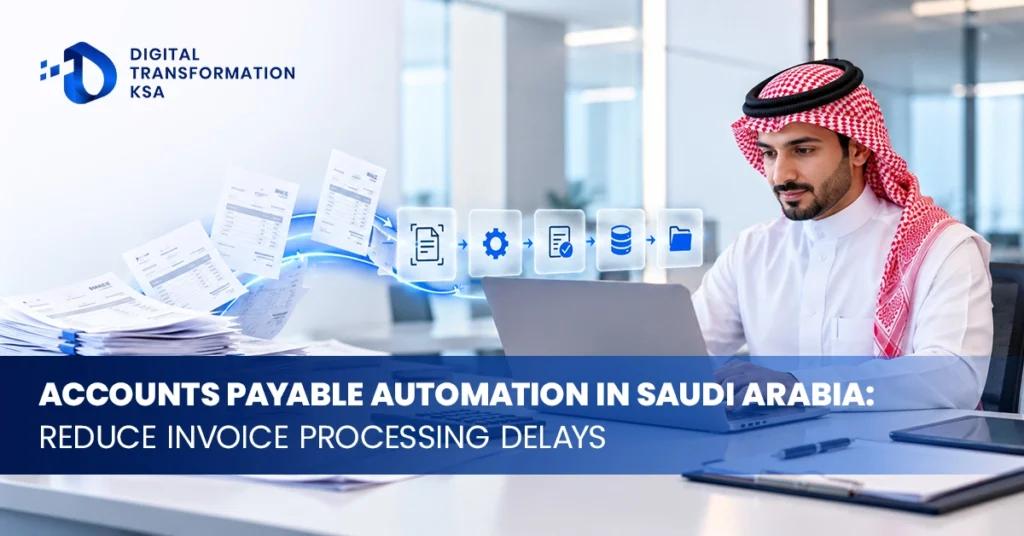
Accounts Payable Automation in Saudi Arabia can significantly reduce the delays created by manual invoice entry, email-based approvals, missing purchase information and repeated follow-ups between finance, procurement and operations. In many businesses, the real problem is not invoice volume alone. It is the number of handoffs required before an invoice can be approved, posted and prepared for payment.
A stronger AP process connects invoice capture, validation, purchase-order matching, approval routing, exception handling, ERP posting and payment preparation into one controlled workflow. For Saudi businesses in 2026, this process may also need to align with ZATCA e-invoicing requirements, ERP data structures and wider finance automation initiatives. The goal is not simply to process invoices faster. It is to reduce manual effort without weakening financial control.
Why Accounts Payable Processes Become Slow
Invoice processing often becomes slow because the workflow is fragmented. A supplier may send an invoice by email, finance may enter it into a spreadsheet, procurement may need to confirm the purchase, a department manager may approve the cost and finance may then re-enter information into the ERP.
If any part of the process is incomplete, the invoice stops moving. Finance has to chase missing purchase orders, confirm goods receipt, request approval or correct supplier information before the transaction can continue.
The longer the workflow depends on email and manual data entry, the more difficult it becomes to know where an invoice is waiting and who is responsible for the next action.
Accounts payable automation addresses these delays by making the workflow visible and rule-based.
Start With Invoice Capture
The first stage of invoice processing is receiving the document and converting its information into usable data.
Invoices may arrive through email, supplier portals, shared folders or other digital channels. An automated process can capture the invoice and extract key fields such as supplier name, invoice number, invoice date, purchase-order number, VAT information and total amount.
The extracted information should then be validated before it enters the accounting workflow.
The objective is not simply to digitise the invoice. The goal is to avoid requiring finance staff to type the same information manually into another system.
Invoice Processing Automation Needs Validation Rules
Extracted data should not automatically become an accounting entry without validation.
The workflow can check whether the supplier exists, whether required invoice fields are present, whether the invoice number has already been processed and whether the VAT or purchase information is consistent with the business record.
Invoices that meet defined rules can continue automatically. Incomplete or unusual invoices can be routed to finance for review.
This exception-based model is more effective than requiring employees to manually inspect every invoice at the same level of detail.
Purchase Order Matching Can Remove a Major Bottleneck
Purchase-order matching is one of the strongest accounts payable automation opportunities for businesses with structured procurement processes.
When an invoice references a purchase order, the system can compare invoice information against the approved order. Depending on the process, it may also compare the goods or services received.
This creates the basis for two-way or three-way matching.
A two-way match compares the supplier invoice with the purchase order. A three-way match adds the goods receipt or service confirmation.
When quantities, values and other relevant details fall within approved rules, the invoice can continue through the workflow. Differences can be routed for investigation.
This allows finance employees to focus on genuine exceptions instead of manually checking transactions that already agree.
Goods Receipt Matters More Than Many Businesses Realise
An invoice can match the purchase order while the goods or services have not actually been received.
This is why goods receipt becomes important in three-way matching. The business needs evidence that the order was fulfilled before the payable proceeds according to the defined control process.
If operations or warehouse teams do not record receipt promptly, invoices may remain blocked even when the supplier has delivered correctly.
Accounts payable automation can make these missing receipts visible and route reminders to the appropriate owner instead of requiring finance to chase every case manually.
The automation therefore improves more than finance. It exposes process delays across procurement and operations as well.
Approval Routing Should Follow Defined Business Rules
Many AP delays occur after the invoice has already been validated because approval depends on emails, messages or verbal follow-up.
Automated invoice approval can route the invoice according to amount, cost centre, department, project, supplier or another relevant rule.
A low-value invoice may require one approval while a larger or unusual transaction may need several levels.
The system should also show where the invoice is currently waiting. This gives finance better visibility and allows overdue approvals to be escalated automatically.
Approval automation should reflect the company’s actual authority structure rather than creating more approval levels simply because the software supports them.
Too Many Approvals Can Make Automation Slower
Automation cannot compensate for an unnecessarily complicated approval policy.
Some businesses route every invoice through several managers regardless of value or risk. The software makes the routing faster, but the fundamental delay remains because too many people still need to act.
Before implementing financial workflow automation, businesses should review which approvals are genuinely necessary.
Low-risk recurring expenditure may follow a simpler route than a high-value unplanned purchase. Approved purchase orders can also reduce the need to repeat the same commercial approval when the supplier invoice arrives.
The objective should be a controlled workflow with appropriate approvals, not the maximum possible number of approval steps.
Duplicate Invoice Detection Should Happen Early
Duplicate invoices can create unnecessary work and increase the risk of duplicate payments.
Accounts payable software can compare supplier, invoice number, date, amount and other fields to identify potential duplicates before the transaction progresses.
The system should flag suspicious matches for review rather than assuming every similar transaction is definitely a duplicate.
This is especially important where suppliers resend invoices after payment delays or where the same document can arrive through several channels.
A central invoice intake process reduces the likelihood of the same invoice entering the workflow multiple times.
Exception Handling Determines Whether Automation Actually Works
A completely automated invoice process is unrealistic if suppliers, purchase orders and operational records are not always perfect.
The more important capability is handling exceptions efficiently.
An invoice may be missing a purchase-order number, contain an amount different from the approved order, reference an inactive supplier or include information that cannot be interpreted correctly.
The system should categorise these exceptions and route them to the right person. A purchasing discrepancy should not automatically be sent to the same team that handles a tax-data issue.
Clear exception ownership prevents the automated workflow from becoming another queue that finance has to investigate manually.
Supplier Master Data Needs Strong Controls
Supplier information is one of the most sensitive areas in accounts payable.
Automation should not allow supplier bank details or other critical information to change simply because an invoice contains different data.
Supplier master-data changes should follow separate verification and approval controls.
This is particularly important because payment fraud can involve requests to change supplier bank information. A professional-looking invoice or email should not be enough to override established supplier records automatically.
Accounts payable automation should therefore reinforce supplier controls rather than weaken them.
Segregation of Duties Should Remain in Place
Automation can remove manual steps, but it should not remove necessary financial controls.
A system that captures an invoice, prepares the accounting entry and routes approval does not automatically need authority to approve and release the payment.
Responsibilities should remain separated according to the business’s control requirements.
For example, one role may maintain supplier records, another may approve purchases and another may authorise payment.
Automation should enforce these boundaries consistently and create a traceable record of who approved each significant action.
ERP Integration Is Central to AP Automation
Accounts payable automation creates the most value when it connects with the ERP or accounting system.
Supplier records, purchase orders, goods receipts, account codes and payment status may already exist in the ERP. The automation layer should use that information instead of creating a disconnected AP database that finance later needs to reconcile.
Once an invoice has passed the required controls, approved information can be posted into the ERP according to the configured workflow.
Status can also move in the opposite direction so users can see whether the invoice has been posted, approved or paid.
This integration reduces duplicate entry and improves the audit trail between the supplier document and the financial transaction.
ZATCA E-Invoicing Creates Another Important Data Relationship
Saudi businesses should also consider how supplier invoice processing relates to the wider electronic invoicing environment.
ZATCA’s e-invoicing programme continues to expand through phased Integration Phase waves, with businesses progressively required to integrate compliant e-invoicing solutions with the Fatoora Platform according to their notified implementation dates.
Accounts payable automation is not the same thing as ZATCA integration, particularly because supplier invoice processing and outward invoice compliance involve different responsibilities. However, the same finance environment may depend on accurate VAT, supplier and invoice data across both processes.
Businesses should therefore avoid building isolated automation that conflicts with ERP tax configuration or wider electronic invoicing workflows.
A connected finance architecture makes it easier to maintain consistent invoice and VAT information across systems.
Non-PO Invoices Need a Different Workflow
Not every supplier invoice has a purchase order.
Rent, utilities, professional services and other expenditure may follow different purchasing arrangements depending on the organisation.
Non-PO invoices should therefore have their own validation and approval rules rather than being forced through a matching process that cannot succeed.
The automation may route the invoice to the relevant budget owner, require account coding and apply approval thresholds before posting.
Businesses should also review whether some recurring non-PO expenditure could be brought into a more structured procurement process where appropriate.
The aim is to design different controls for different transaction types without allowing uncontrolled invoices to bypass review.
Credit Notes and Adjustments Need to Be Included
Accounts payable automation should not be designed only around standard supplier invoices.
Credit notes, debit adjustments and other transaction types can affect supplier balances and reconciliation.
The workflow needs to identify the document type correctly and link it to the relevant transaction where appropriate.
If these documents remain outside the automated process, finance can still end up maintaining a parallel manual workflow for a meaningful portion of supplier activity.
Complete process design should therefore reflect the real document mix the business receives.
Payment Preparation Can Be Automated Without Automating Final Authority
After an invoice is approved and posted, automation can assist with payment preparation.
The system may identify invoices due for payment, group transactions according to predefined rules and prepare payment information for authorised review.
This can reduce manual preparation work while preserving human authority over the final payment release.
Businesses should be particularly careful around changes to bank details, unusually large payments and new suppliers. These situations may require additional verification even if the rest of the AP process is highly automated.
Finance automation should make controlled payments easier, not make unauthorised payments easier.
AP Automation Can Improve Cash-Flow Visibility
Manual accounts payable processes can make it difficult to know exactly how much approved expenditure is waiting for payment.
An automated workflow gives finance greater visibility into invoices by status. Management can see what has been received, what is awaiting approval, what has been posted and what is approaching the payment date.
This can improve short-term cash planning because liabilities become visible earlier in the process.
It can also help finance understand whether cash-flow pressure results from actual supplier obligations or simply from invoices that have been sitting unprocessed.
Supplier Queries Can Become Easier to Answer
Suppliers often contact finance asking whether an invoice has been received, approved or scheduled for payment.
In a manual process, answering the question may require searching email, checking spreadsheets and contacting an approver.
A central AP workflow can provide a much clearer status.
Depending on the implementation, employees may be able to see when the invoice entered the system, whether it is blocked by an exception and whether approval has been completed.
This improves supplier communication without requiring finance teams to reconstruct the invoice history manually each time.
Measure Approval Time Separately From Processing Time
Businesses often measure AP performance only by asking how long it takes to pay an invoice.
That can hide where the actual delay occurs.
A better process measures different stages separately. How long does invoice capture take? How much time is spent waiting for PO matching? How long does approval take? How many invoices become exceptions? How quickly are exceptions resolved?
This makes it possible to determine whether the bottleneck is finance, procurement, department approvals or poor supplier data.
The automation project can then target the real cause instead of assuming every delay is an AP problem.
Useful Accounts Payable Automation Metrics
The strongest AP metrics show whether manual effort and processing friction are actually falling.
Businesses can monitor invoice cycle time, percentage of invoices processed without manual intervention, exception rate, duplicate invoice rate, approval turnaround time and number of overdue approvals.
They may also track invoices processed per finance employee, supplier enquiries and the percentage of transactions matched successfully against purchase orders and receipts.
The specific targets should be based on the organisation’s starting point. Businesses should avoid using unsupported industry benchmarks as guaranteed results.
Start With the Highest-Volume Invoice Path
Businesses do not need to automate every supplier scenario in the first phase.
A practical implementation can begin with the invoice category that represents the largest predictable volume.
If most invoices are PO-based and follow similar approval rules, that process may be the strongest starting point.
The organisation can map the current workflow, establish baseline metrics, automate the normal path and create clear exception handling.
Once the process performs reliably, additional suppliers, business units and transaction types can be brought into the workflow.
This approach produces measurable improvement faster than trying to design every unusual case before the first invoice is automated.
Data Quality Should Be Fixed at the Source
Automation often reveals problems that manual finance teams have quietly corrected for years.
Supplier names may be inconsistent, purchase orders may contain incomplete information and cost centres may be entered differently across departments.
A manual process can hide these issues because employees know how to work around them. Automation makes them visible.
The correct response is not to build endless exceptions into the software. Repeated problems should be corrected in supplier master data, procurement processes or ERP configuration.
This improves the wider finance environment as well as the AP workflow.
Change Management Matters for Finance and Procurement Teams
Accounts payable automation changes responsibilities across several departments.
Finance staff may move from manual entry toward exception management and control. Procurement teams may need to maintain more accurate purchase orders. Department managers may receive approvals through a new workflow instead of email.
Suppliers may also need clearer instructions about where invoices should be submitted and what information must be included.
The implementation should therefore explain the new process to everyone involved rather than treating AP automation as a finance-system installation.
Automation performs better when upstream teams understand how their actions affect downstream processing.
Common Accounts Payable Automation Mistakes
One common mistake is automating invoice capture while leaving approvals entirely in email. The business saves data-entry time but retains one of the biggest processing delays.
Another is implementing automated matching before purchase-order and goods-receipt processes are reliable. This creates large exception queues and can make employees lose trust in the system.
Businesses also create risk when they allow invoice information to update sensitive supplier master data without independent verification.
Other problems include excessive approval levels, poor ERP integration and measuring success only by the number of invoices processed.
The automation should be judged by whether the entire invoice-to-payment workflow becomes faster, more visible and better controlled.
Accounts Payable Automation as Part of Wider Finance Automation
AP should not become another isolated platform within finance.
The strongest architecture connects invoice processing with procurement, ERP, reporting, cash management and other relevant financial workflows.
This creates opportunities beyond faster invoice processing. Management gains better visibility into outstanding liabilities, finance receives more structured data and procurement can identify recurring mismatch problems.
Digital Transformation KSA already positions Accounts Payable Automation Solutions alongside RPA, business process automation and wider finance automation capabilities. The practical advantage of that approach is treating AP as one part of a connected financial operating model rather than simply replacing manual invoice entry with software.
Conclusion
Accounts Payable Automation in Saudi Arabia can reduce invoice processing delays by connecting capture, validation, matching, approvals, exception management, ERP posting and payment preparation into one controlled workflow.
The largest benefit usually comes from removing waiting and re-entry rather than automating one isolated task. PO matching can allow clean invoices to move faster, automated approval routing can expose bottlenecks and structured exception handling can prevent finance staff from manually investigating every transaction.
Businesses should still preserve supplier controls, segregation of duties and payment authority. They should also integrate the AP process with ERP data and consider how the finance environment aligns with Saudi electronic invoicing requirements.
For organisations modernising financial operations, Digital Transformation KSA provides a broader context across accounts payable automation, business process automation and finance transformation. The strongest AP project is one where normal invoices move quickly, unusual transactions remain visible and finance spends less time chasing information that should already be available inside the process.
FAQs
What is Accounts Payable Automation in Saudi Arabia?
Accounts payable automation uses software and workflow technology to reduce manual invoice processing. It can support invoice capture, validation, purchase-order matching, approvals, exception handling, ERP posting and payment preparation while preserving appropriate financial controls.
How can AP automation reduce invoice approval delays?
Automated invoice approval routes invoices directly to the appropriate approver according to defined rules and makes overdue approvals visible. This reduces dependence on manual email follow-ups and helps finance identify exactly where an invoice is waiting.
Can accounts payable software perform three-way matching?
Yes, where the required purchasing data is available. The system can compare invoice information with the purchase order and goods receipt according to defined tolerances, while mismatches are routed for review.
Does AP automation replace finance staff?
No. The objective is generally to reduce repetitive data entry, matching and follow-up work. Finance employees remain important for exceptions, financial controls, supplier issues and decisions that require judgement.
How does accounts payable automation integrate with an ERP?
The automation system can use ERP supplier records, purchase orders, goods receipts and accounting structures during invoice processing. Once an invoice is appropriately validated and approved, relevant transaction data can be posted to the ERP, reducing duplicate manual entry.