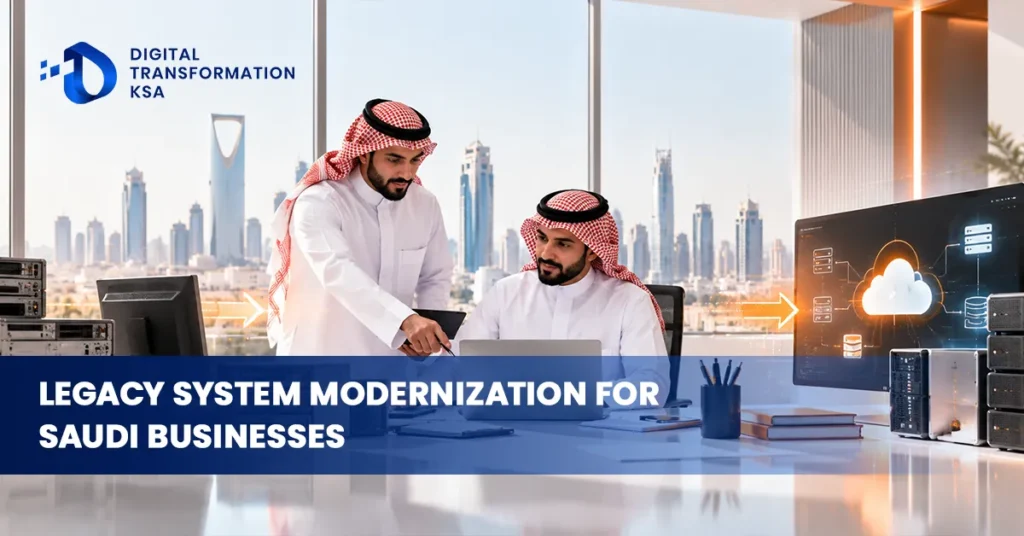
An outdated system does not always look outdated.
It may still process orders, calculate payroll or manage inventory every day. Employees know how to use it, and replacing it may seem unnecessary while everything appears to work.
The problems often emerge when the business tries to change.
A new ERP cannot exchange information with the old application. Customer data must be exported manually. An unsupported database becomes difficult to secure. Every new integration requires another workaround, and an apparently simple software change threatens several business processes.
This is where legacy system modernization in Saudi Arabia becomes a business priority.
Modernization does not necessarily mean replacing every old application. It means deciding which systems should remain, which need architectural improvements, which can be integrated with newer technology and which have reached the end of their useful life.
For Saudi businesses expanding their digital capabilities in 2026, the objective is to modernize without unnecessarily disrupting the operations that existing systems still support.
What Is Legacy System Modernization?
Legacy system modernization is the process of updating, restructuring, integrating or replacing existing technology so it can support current business requirements.
A legacy system may be an old ERP, an internally developed application, a database, a customer-management platform or an operational system built around outdated infrastructure.
Age alone does not make an application unsuitable.
A ten-year-old system may still perform its intended function reliably. A much newer application may already create problems because it cannot integrate with other business software.
The more useful question is whether the system can continue supporting the business securely, efficiently and economically.
Modernization addresses the gap between what existing technology can deliver and what the business now requires.
Why Legacy Systems Become a Barrier to Digital Transformation
Legacy systems frequently become difficult to change because their architecture reflects earlier business requirements.
An application originally designed for one location may now need to support several branches. Software developed for a small finance team may struggle with increased transaction volumes. A database created for internal reporting may need to exchange information with cloud applications and external platforms.
The system continues performing its original function, but adapting it becomes increasingly expensive.
These limitations can affect several areas simultaneously.
- Integration: Older applications may lack modern APIs or reliable methods of exchanging information.
- Scalability: Infrastructure and application architecture may struggle with increasing users or transactions.
- Maintenance: Specialist knowledge, replacement components or vendor support may become difficult to obtain.
- Security: Unsupported software can make vulnerabilities harder to remediate.
- Data access: Important information may remain trapped in formats that newer systems cannot easily use.
The cumulative effect is technical debt: the growing cost and complexity of maintaining technology that no longer fits the organisation’s requirements.
Why System Modernization Matters in Saudi Arabia in 2026
Saudi Arabia’s digital transformation agenda is increasingly focused on integrated services, stronger digital infrastructure and more effective use of information.
The Digital Government Strategy 2025–2030 identifies integrated digital services, interoperability and enterprise architecture among its priorities. The Digital Government Authority also launched its Digital Excellence Program in January 2026, with pillars covering strategy, technologies, operations and resources.
National Platform (National Portal)
+1
These government-sector developments provide useful context for private businesses, although the associated government frameworks should not automatically be treated as mandatory requirements for every company.
For Saudi organisations, the practical challenge is similar: new digital capabilities need to work with existing technology.
A business cannot fully benefit from AI, automation, cloud platforms or advanced analytics if critical information remains inaccessible inside disconnected applications.
IT modernization in Saudi Arabia is therefore closely connected with the broader ability to implement digital transformation.
How Do You Know When a Legacy System Needs Modernization?
An application should not be replaced simply because newer software is available.
Modernization becomes more compelling when an existing system creates measurable operational, financial or technical problems.
Legacy system assessment checklist
Select the issues affecting your current environment.
The software is no longer supported or regularly updated.
Integrating with newer applications requires repeated workarounds.
Employees manually export or re-enter information between systems.
Maintenance costs are increasing without corresponding business value.
Performance or capacity limits affect operations.
Critical knowledge depends on a small number of employees or contractors.
Security weaknesses cannot be adequately addressed within the existing architecture.
The system prevents planned business or digital initiatives.
0 of 8 issues identified
A business experiencing several of these problems should assess the affected systems before investing in additional technology.
The assessment should consider both the consequences of retaining the system and the risks associated with changing it.
Six Approaches to Legacy System Modernization
Not every legacy application needs the same treatment. Some systems can continue operating with minor improvements, while others require substantial architectural changes.
The appropriate approach depends on business value, technical condition, dependencies and long-term requirements.
Retain the Existing System
Retaining an application can be appropriate when it remains reliable, supported and capable of meeting business requirements.
The company may improve monitoring, documentation, access controls or surrounding integrations without replacing the core application.
Retention should be a deliberate decision supported by periodic review rather than an indefinite postponement of modernization.
Rehost the Application
Rehosting moves an application to a different infrastructure environment with relatively limited changes to its architecture.
For example, a company may move an existing application from physical servers to suitable cloud infrastructure.
This can address certain infrastructure limitations, but it does not automatically resolve outdated application design or integration problems.
Replatform the Application
Replatforming introduces targeted technical changes without completely redesigning the application.
A business might migrate an application to a managed database, update its runtime environment or improve selected infrastructure components.
This approach can create operational improvements while limiting the complexity of a complete redevelopment.
Refactor the Application
Refactoring changes an application’s internal structure to improve maintainability, performance or compatibility with modern technology.
A tightly connected application may be divided into more manageable components. Existing functionality may be reorganised to support APIs or modern deployment practices.
Refactoring can be valuable when the application still supports important business processes but its architecture limits further development.
Replace the Application
Replacement becomes relevant when an existing system can no longer meet requirements economically or securely.
A company may move from an outdated accounting application to a modern ERP or replace an internally developed CRM with a suitable enterprise platform.
Replacement requires careful process mapping, data migration, integration planning and user training.
Retire Unnecessary Systems
Some applications remain operational long after their original business purpose has disappeared.
They may duplicate functionality available elsewhere or exist only because nobody has formally reviewed them.
Retiring these systems can reduce maintenance costs, unnecessary integrations and security exposure.
However, relevant records must be preserved according to applicable retention and business requirements.
How to Choose the Right Modernization Strategy
The six approaches should not be treated as a fixed sequence.
A company does not need to rehost an application before eventually replacing it. Nor should every application be refactored simply because its code is old.
A portfolio assessment helps determine which approach fits each system.
|
Assessment factor
|
Question to answer
|
| — | — |
|
Business criticality
|
What happens if the system becomes unavailable?
|
|
Technical condition
|
Is the software supported, maintainable and secure?
|
|
Integration
|
Can it exchange information with required applications?
|
|
Data
|
Is important information accessible and reliable?
|
|
Cost
|
What does continued maintenance cost?
|
|
Future requirements
|
Can the system support planned business changes?
|
Applications with high business importance and significant technical limitations deserve particular attention.
However, they may also require the most cautious migration strategy because disruption could have serious operational consequences.
Application Modernization Should Begin With Business Processes
A common modernization mistake is to focus entirely on software architecture.
Technology teams examine programming languages, databases and infrastructure while the business continues operating through inefficient processes.
The result can be a modern application that reproduces outdated ways of working.
Before changing the technology, organisations should examine the processes it supports.
Consider an older procurement application.
If employees must enter purchase information repeatedly, obtain unnecessary approvals and manually transfer records into finance, replacing the application without redesigning the workflow may preserve those problems.
A modernization project should therefore establish which processes need to change alongside the system.
The objective is to improve business capability, not merely update the technology stack.
APIs Can Extend the Life of Existing Systems
Some legacy systems continue delivering valuable functionality but struggle to communicate with newer applications.
In these situations, integration can provide an alternative to immediate replacement.
APIs allow applications to exchange information through defined interfaces. Middleware can also help connect systems that use different technologies or data formats.
For example, a company may retain a specialised operational application while connecting it to a newer ERP or analytics platform.
This can reduce duplicate data entry and improve reporting without immediately replacing the operational system.
However, integration introduces its own responsibilities.
Interfaces need appropriate authentication, authorisation, monitoring, error handling and maintenance.
An API cannot compensate for unreliable data or fundamentally unsuitable application architecture.
Data Migration Requires More Than Moving Records
Legacy systems often contain years of important business information.
That information may include customers, suppliers, transactions, products, employees, financial records or operational history.
Migrating it into a new application requires more than copying database tables.
Identify What Needs to Move
Not every historical record belongs in the new environment.
Businesses should distinguish between information needed for current operations, information required for historical reporting and records that can be retained in an appropriate archive.
This reduces unnecessary migration complexity while preserving information that must remain accessible.
Clean and Standardise the Data
Older systems frequently contain duplicated records, inconsistent naming conventions and incomplete information.
These problems should be identified before migration.
Moving poor-quality data into a modern application can undermine reporting, automation and integration from the beginning.
Reconcile and Validate
Successful migration requires evidence that the information arrived correctly.
Financial balances, inventory quantities, customer records and other critical datasets should be reconciled against their original sources.
Testing should also confirm that migrated information behaves correctly within the new application’s processes.
How to Modernize Without Interrupting Business Operations
The biggest concern for many businesses is not whether modernization is technically possible.
It is whether critical operations can continue during the transition.
A company cannot casually interrupt invoicing, payroll, order fulfilment or production while replacing the systems supporting those activities.
A phased migration can help manage this risk.
- Map system dependencies
Identify which applications, databases, integrations and business processes depend on the legacy system. Include undocumented connections and manual workarounds. - Build the target environment
Configure the new application or architecture, establish security controls and prepare the necessary integrations before moving production workloads. - Test representative transactions
Validate ordinary business activities and unusual scenarios. Confirm that information moves correctly between old and new components. - Migrate in controlled stages
Move suitable processes, users or workloads progressively where the architecture permits. Monitor performance and resolve issues before expanding. - Complete the transition
Confirm operational readiness, validate data and establish recovery arrangements before retiring the old environment.
Some critical systems may require a controlled cutover rather than gradual migration.
The implementation approach should follow technical dependencies and the business’s tolerance for disruption.
Cybersecurity Must Be Part of System Modernization
Legacy applications can create cybersecurity challenges when vendors stop providing updates or when outdated architecture cannot support modern security controls.
However, modernization also introduces risk.
New integrations, cloud services, administrator accounts and migration environments can expand the attack surface.
Saudi Arabia’s National Cybersecurity Authority maintains the Essential Cybersecurity Controls, including ECC 2-2024, to strengthen the protection of information and technological assets within its applicable scope.
NCA
Businesses should identify which cybersecurity and sector-specific requirements apply to them before implementing major architectural changes.
Security considerations should include privileged access, encryption, vulnerability management, system monitoring, backup and incident response.
An application should not become less secure simply because the business is modernizing it.
Legacy Modernization Can Create a Foundation for AI
Many companies want to introduce AI before addressing the limitations of their existing systems.
That sequence can create unnecessary difficulties.
An AI application may require access to customer records, operational information or transaction histories. If the underlying data is inaccessible, inconsistent or distributed across incompatible applications, developing a reliable AI solution becomes harder.
Modernization can improve this foundation.
APIs can make approved information accessible to other applications. Data integration can reduce fragmentation. Updated infrastructure can support more demanding workloads.
This does not mean every AI project requires complete legacy replacement.
It means organisations should understand which existing technical limitations could prevent an AI use case from delivering value.
How to Measure the ROI of Legacy System Modernization
Modernization projects should be evaluated against the business problems they are intended to resolve.
Replacing an application may be necessary, but the age of the old software is not itself a financial benefit.
A useful business case can consider:
Maintenance costs: Changes in infrastructure, support, licensing and specialist maintenance expenditure.
Operational efficiency: Reductions in manual work, duplicate entry or inefficient processes.
System availability: Improvements in reliability, recovery capability and service continuity.
Integration: Less effort required to exchange information between business applications.
Delivery speed: Reduced time needed to introduce new functionality or respond to business requirements.
Risk reduction: Lower exposure associated with unsupported components or inadequate controls.
The assessment should include implementation costs, transition risks, training and ongoing operating expenditure.
A modernization programme creates value when its benefits justify the full cost and risk of change.
Common Mistakes in Legacy System Modernization
Modernization projects can fail even when the replacement technology works correctly.
- Replacing everything at once: The organisation creates unnecessary disruption by attempting to migrate too many critical systems simultaneously.
- Ignoring undocumented dependencies: An old application is switched off before teams discover which other systems still depend on it.
- Moving poor-quality data: Existing information problems undermine the new application.
- Customising excessively: The replacement becomes difficult to maintain and upgrade.
- Neglecting employees: Users continue relying on old spreadsheets and unofficial processes.
- Underestimating integration: The new application operates successfully on its own but cannot exchange information with other systems.
- Retiring too early: The old environment is removed before data validation and operational readiness are complete.
These problems are easier to prevent when business owners, technology teams and operational users participate throughout the project.
Modernization Should Be Continuous, Not Another Future Legacy Problem
A company can invest heavily in replacing outdated technology and still recreate the same problem several years later.
This happens when modernization ends at deployment.
New applications also require maintenance, architecture reviews, updates, documentation and controlled change.
Businesses should establish ownership for important systems and regularly assess their technical condition, integration requirements and operating costs.
Application portfolios should evolve as business requirements change.
This helps prevent technical debt from accumulating unnoticed until another large replacement programme becomes unavoidable.
Build a Modern Digital Infrastructure Without Losing What Works
Legacy system modernization in Saudi Arabia is not a competition to replace the greatest number of old applications.
Some existing systems remain valuable. Others need better integration, targeted architectural improvements or complete replacement. Some should be retired because their original purpose no longer exists.
The important decision is understanding which approach creates the strongest business case while managing operational risk.
Saudi Arabia’s wider digital transformation direction reinforces the importance of integrated technology, effective data exchange and modern operating capabilities. Businesses can apply those principles without treating every existing application as a problem.
For organisations evaluating their next technology investment, Digital Transformation KSA provides a useful reference point for understanding how application modernization connects with cloud transformation, ERP integration, automation and digital infrastructure.
Modernization succeeds when the business becomes easier to operate and adapt, not simply when its software becomes newer.
FAQs
What is legacy system modernization in Saudi Arabia?
Legacy system modernization involves updating, integrating, restructuring, replacing or retiring existing business applications and infrastructure. The objective is to improve maintainability, integration, security, performance and the organisation’s ability to support changing business requirements.
What is the difference between legacy modernization and cloud migration?
Cloud migration primarily moves applications, data or infrastructure into a cloud environment. Legacy modernization is broader and can include application refactoring, integration, data restructuring, replacement or retirement. A system can be modernized without moving to the cloud, and it can be migrated to the cloud without being substantially modernized.
Should Saudi businesses replace all their legacy systems?
No. Each application should be assessed according to business importance, technical condition, security, integration, cost and future requirements. Some systems can be retained or improved, while others may require replacement or retirement.
How can businesses modernize legacy systems without losing data?
Businesses should inventory existing information, determine migration and retention requirements, clean and map data, test migration procedures and reconcile critical records. Recovery arrangements and validation should be completed before the old system is retired.
How long does legacy system modernization take?
The timeline depends on the number of applications, architectural complexity, system dependencies, data quality, integrations and business continuity requirements. A targeted application improvement may be considerably simpler than replacing a critical enterprise system or modernizing an entire application portfolio.